Pre-Facelift Funk Switch wiring


Thread Starter
|
3rd Gear
Joined: Jan 2010
Posts: 1,973
From: Costa Mesa, SoCal
 Pre-Facelift Funk Switch wiring
After learning about the Funk switch and how apparently "rare" it is for the pre-facelift B5, I discovered it on ECS Tuning:
http://www.ecstuning.com/Audi-B5_A4-...unk/ES1251177/
Pretty cheap too!!
Naturally mine just arrived in the mail. I scoured Google for wiring information, and came up with nothing that's suited to the prefacelift B5 A4. So after some probing I came to this conclusion:
Pins:
1. +12VDC switched for the red LED behind "FUNK". This power should come from something else that has power when the key is in the ON position. Another power source could be any dimming lights, so that when you turn on your exterior lights the FUNK lights up.
2. Common ground for the LEDs. Hook this up to anything that (eventually) makes contact with the car chassis.
3. No pin.
4. No pin.
5. 6. Both of these pins are electrically connected when the switch is in the ON position and are open circuit when the switch is in the OFF position. In the switch's ON position the green LED also lights up (similar to the fog light switch). So for example you could have +12VDC power from Pin 1 hooked to Pin 5 and have Pin 6 be the output to whatever. Just keep in mind: for powering anything over ~1amp you MUST use a relay.
Here's how mine will be wired:
1. Wire connected to the ignition control relay (it has power when the key is in the ON position) and Pin 1
2. Wire connected to ground (metal cage above driver-side fuse box) and Pin 2
5. Wire connected between Pins 1 and 5
6. Wire connected to relay input and Pin 6. This relay will power the custom LED setup I made in my aftermarket fog grilles.
Pics after installation will follow!
http://www.ecstuning.com/Audi-B5_A4-...unk/ES1251177/
Pretty cheap too!!
Naturally mine just arrived in the mail. I scoured Google for wiring information, and came up with nothing that's suited to the prefacelift B5 A4. So after some probing I came to this conclusion:
Pins:
1. +12VDC switched for the red LED behind "FUNK". This power should come from something else that has power when the key is in the ON position. Another power source could be any dimming lights, so that when you turn on your exterior lights the FUNK lights up.
2. Common ground for the LEDs. Hook this up to anything that (eventually) makes contact with the car chassis.
3. No pin.
4. No pin.
5. 6. Both of these pins are electrically connected when the switch is in the ON position and are open circuit when the switch is in the OFF position. In the switch's ON position the green LED also lights up (similar to the fog light switch). So for example you could have +12VDC power from Pin 1 hooked to Pin 5 and have Pin 6 be the output to whatever. Just keep in mind: for powering anything over ~1amp you MUST use a relay.
Here's how mine will be wired:
1. Wire connected to the ignition control relay (it has power when the key is in the ON position) and Pin 1
2. Wire connected to ground (metal cage above driver-side fuse box) and Pin 2
5. Wire connected between Pins 1 and 5
6. Wire connected to relay input and Pin 6. This relay will power the custom LED setup I made in my aftermarket fog grilles.
Pics after installation will follow!
Last edited by MetalMan; May 1, 2011 at 07:14 PM.

2nd Gear
Joined: Apr 2007
Posts: 1,161
From: Minnesota
Niccceee, good link, I didnt know they made one for the pre facelift ive only seen the post face, i ordered one, it just came in the mail.. I now have all of my switch positions filled! (still havent decided what to do with the funk switch it isnt connected to anything right now) :

Site Moderator/B5 Tech Guru
Joined: Feb 2010
Posts: 1,745
From: Bay Area, CA
Niccceee, good link, I didnt know they made one for the pre facelift ive only seen the post face, i ordered one, it just came in the mail.. I now have all of my switch positions filled! (still havent decided what to do with the funk switch it isnt connected to anything right now) :
Details!

2nd Gear
Joined: Apr 2007
Posts: 1,161
From: Minnesota
The other fog light button turns off my license plate light, ha mainly used during high school.
The anti-lock button does actually turn of my anti-lock brakes. I like anti-lock brakes and always use them unless Im trying to brake hard down a snow covered hill or when Im doing some drifiting. ABS can stop the car much faster on dry and wet pavement, but not in snow or rock, a car can stop faster without it (but obviously with much less control).
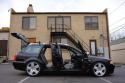
It is actually an anti-lock faceplate with a foglight switch inside. The original anti-lock button with the anti-lock insides is from an Audi 90 or something I got from A&P (hence why its shaped a little different, it fits in the slot perfect though and the anti-lock is back lit in red), the problem with the inside part of the switch is that it was intermittent contact, so it was used to just signal something, not used as an actual switch (which means when pressed it would return to its exact position as before, and it does not have any lit triangle beneath), which is why i used another fog part instead.
The anti-lock button does actually turn of my anti-lock brakes. I like anti-lock brakes and always use them unless Im trying to brake hard down a snow covered hill or when Im doing some drifiting. ABS can stop the car much faster on dry and wet pavement, but not in snow or rock, a car can stop faster without it (but obviously with much less control).
It is actually an anti-lock faceplate with a foglight switch inside. The original anti-lock button with the anti-lock insides is from an Audi 90 or something I got from A&P (hence why its shaped a little different, it fits in the slot perfect though and the anti-lock is back lit in red), the problem with the inside part of the switch is that it was intermittent contact, so it was used to just signal something, not used as an actual switch (which means when pressed it would return to its exact position as before, and it does not have any lit triangle beneath), which is why i used another fog part instead.
2nd Gear
Joined: Apr 2007
Posts: 1,161
From: Minnesota
Me too, which is what I might do, my amp is turned on by receiving a signal from its high level (the amp is wired directly to the speakers instead of through RCA) input though (so it doesnt need a remote turn on). So I could buy a converter to convert high level to rca and then connect the remote turn on to that funk switch, but it would be pretty pointless just to give that switch a use.
Thread Starter
|
3rd Gear
Joined: Jan 2010
Posts: 1,973
From: Costa Mesa, SoCal
Yay for funk switch!
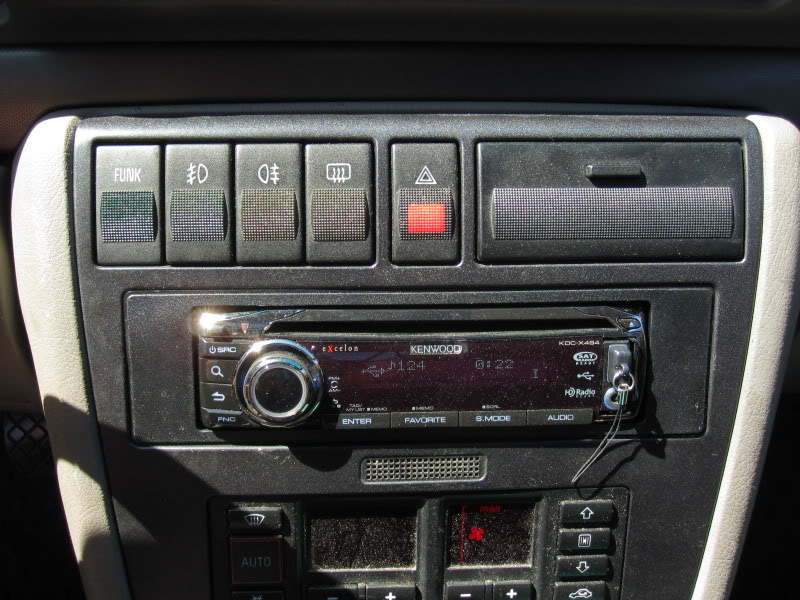

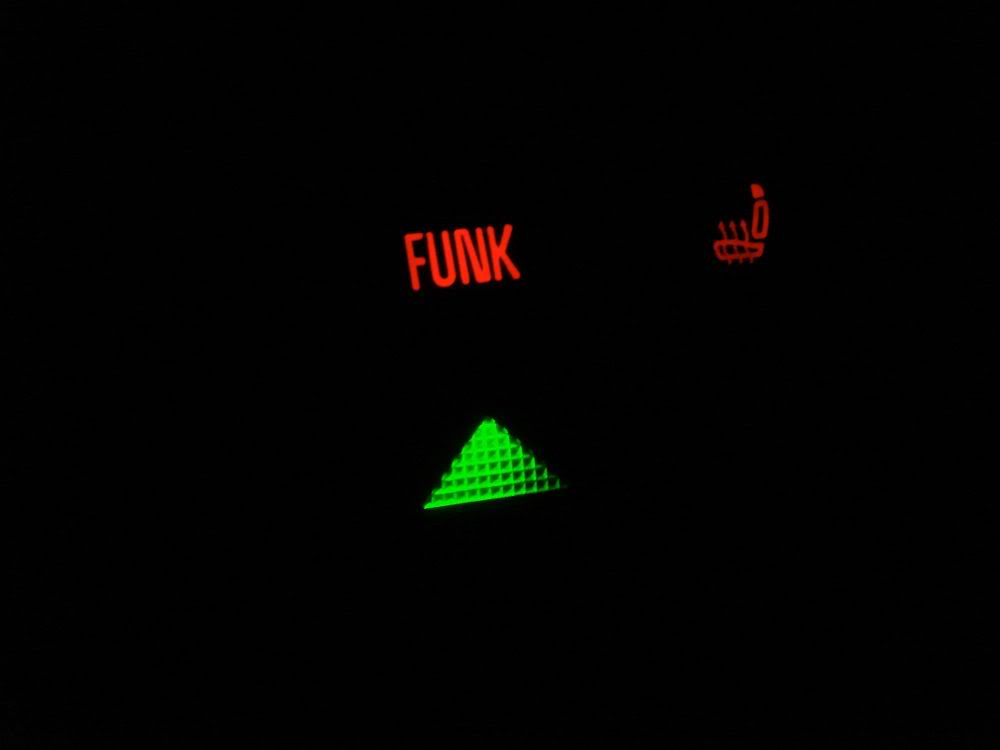
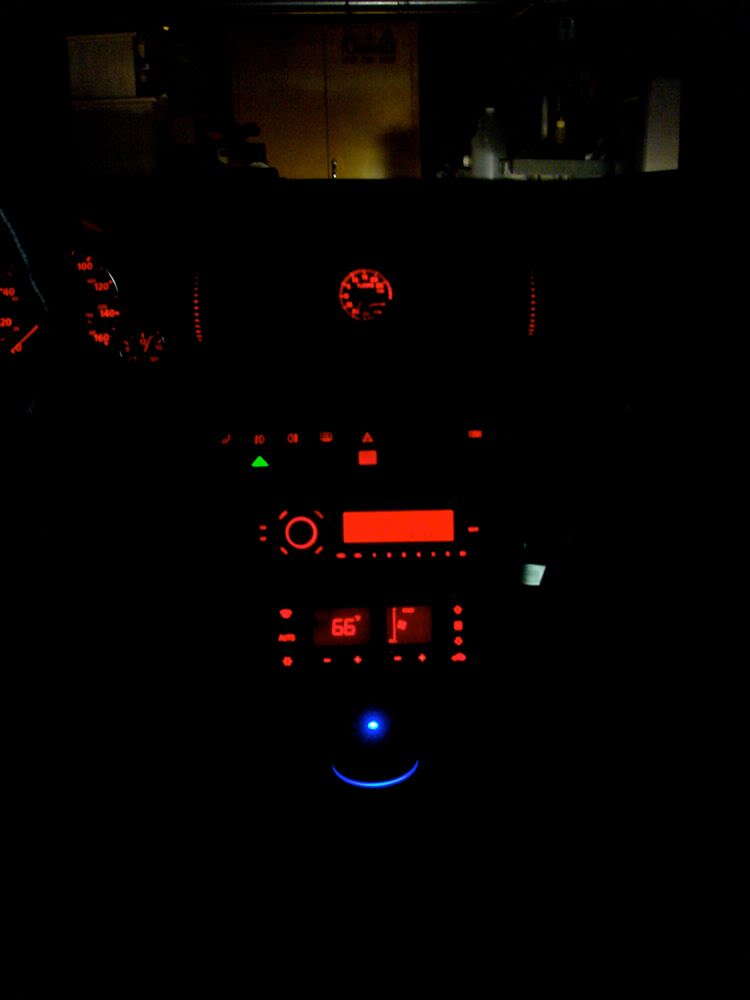
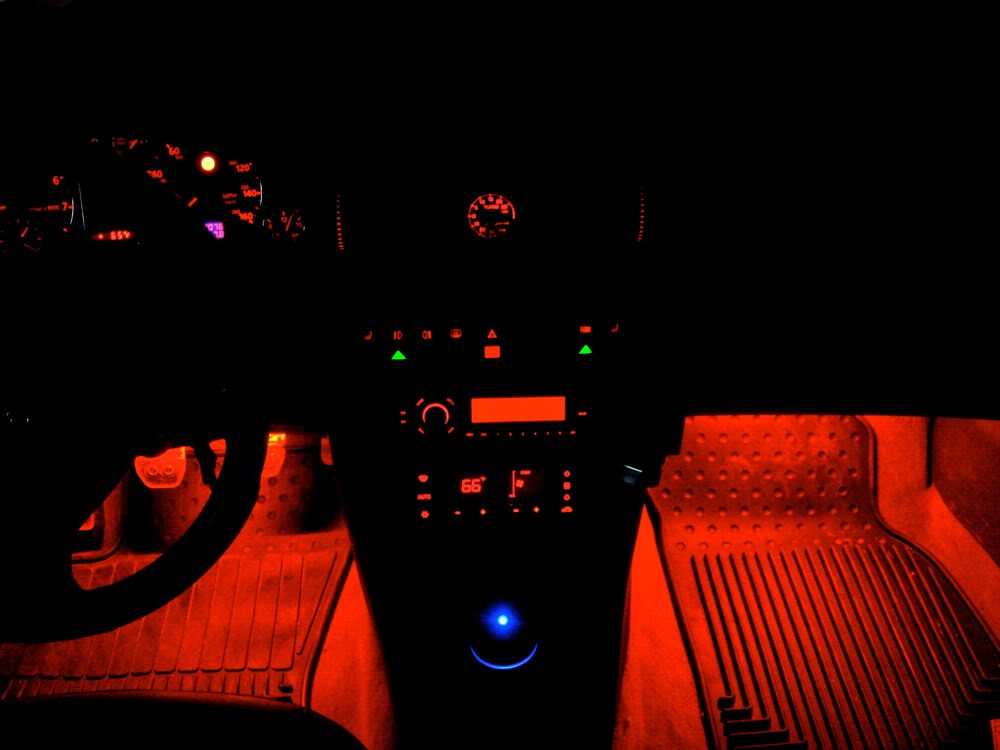
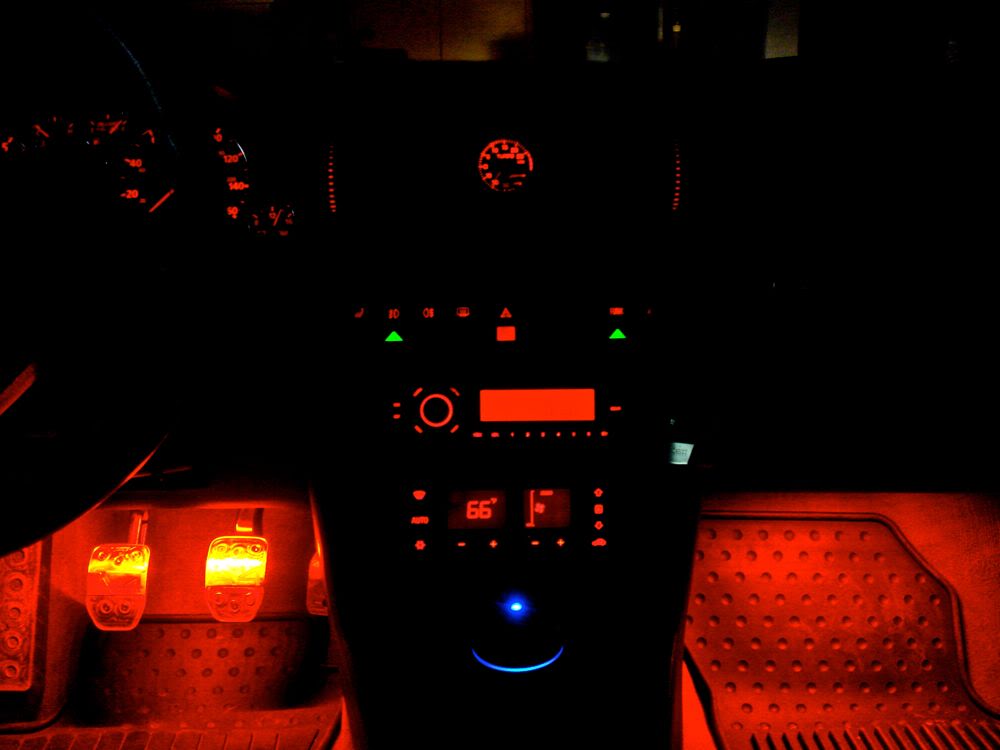
Can't see the lights in daylight, but at night they are very visible, and you can barely discern the red "FUNK" and the green triangle below. Power to the funk switch comes from the relay that is turned on when the ignition is on.
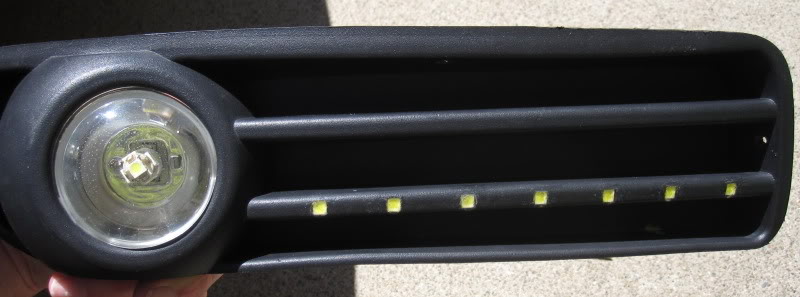
Just finished my custom LED setup in aftermarket fog grilles that the FUNK switch controls (via a relay). These little 5mm LEDs (Cree Xlamp, 6500K) are rated for more than 1W, 10.7V @ 115mA. But they need some pretty serious heatsinking... Since I had no room for heatsinks (just 3/4" long pieces of 12ga. wire) I'm running these LEDs around 9.7V @62mA. Still super bright:



Night pics of the LEDs and FUNK switch will follow!
Can't see the lights in daylight, but at night they are very visible, and you can barely discern the red "FUNK" and the green triangle below. Power to the funk switch comes from the relay that is turned on when the ignition is on.
Just finished my custom LED setup in aftermarket fog grilles that the FUNK switch controls (via a relay). These little 5mm LEDs (Cree Xlamp, 6500K) are rated for more than 1W, 10.7V @ 115mA. But they need some pretty serious heatsinking... Since I had no room for heatsinks (just 3/4" long pieces of 12ga. wire) I'm running these LEDs around 9.7V @62mA. Still super bright:
Night pics of the LEDs and FUNK switch will follow!
Last edited by MetalMan; May 1, 2011 at 06:28 PM.
Site Moderator/B5 Tech Guru
Joined: Feb 2010
Posts: 1,745
From: Bay Area, CA
Yesterday I ripped my interior apart and redid the wiring for my boost gauge and hooked up the lighting for the funk switch.
I previously had my boost gauge wired to the 75x relay (which provides power when the key is in the on position.) Since I installed facelift air vent housings, I have a power hookup right next to the gauge, so I cleaned up that wiring, installed a couple splices and have the gauge running off the vent housing power.
Osir provides a nifty power adapter for their shift ***** that has 3 extra power hookups that are switched to the headlights. I tapped into one of those lines and ran it up to my funk switch.
Mission success! Thanks again for the tip MetalMan, it looks much better now. Those fog light housings are pretty slick too.
I'll see if I can snap a couple pics tonight as well.
I previously had my boost gauge wired to the 75x relay (which provides power when the key is in the on position.) Since I installed facelift air vent housings, I have a power hookup right next to the gauge, so I cleaned up that wiring, installed a couple splices and have the gauge running off the vent housing power.
Osir provides a nifty power adapter for their shift ***** that has 3 extra power hookups that are switched to the headlights. I tapped into one of those lines and ran it up to my funk switch.
Mission success! Thanks again for the tip MetalMan, it looks much better now. Those fog light housings are pretty slick too.
I'll see if I can snap a couple pics tonight as well.