


DIY rear view control unit for A4


Thread Starter
|
1st Gear
Joined: Apr 2013
Posts: 4
 DIY rear view control unit for A4
First find the original module on the right of the trunk,as the picture showed
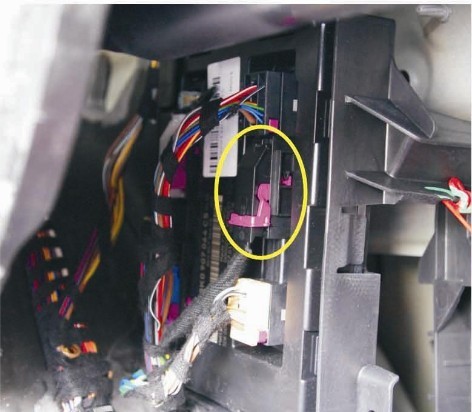
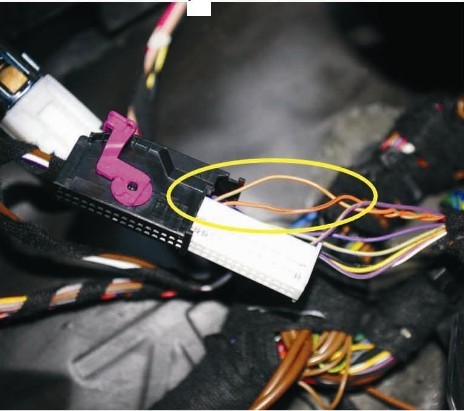
this picture is the cables of CAN
orange/green=CAN-H
orange/brown=CAN-L
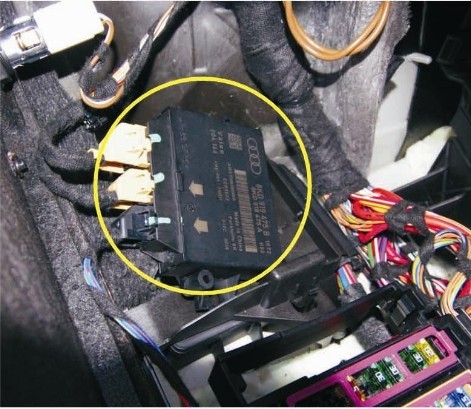
find the original car module
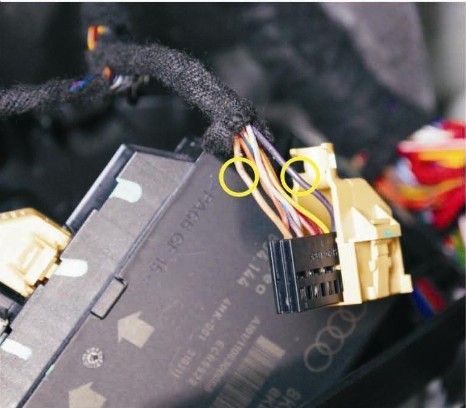
the plug of the host of the module
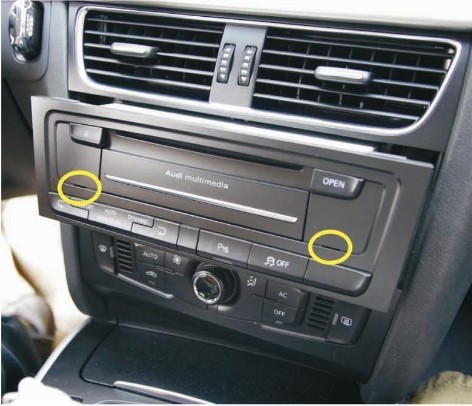
use the tool remove the car DVD host as picture showed
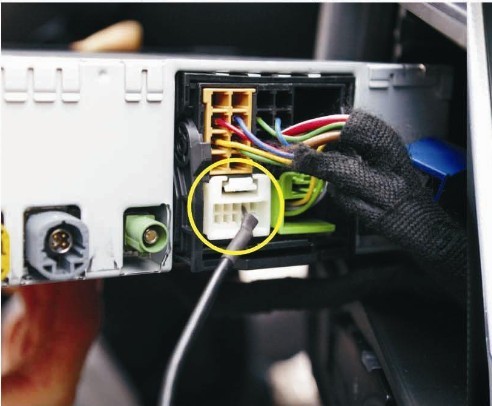
insert the cable of video input to the 17-18 of the host as the picture showed
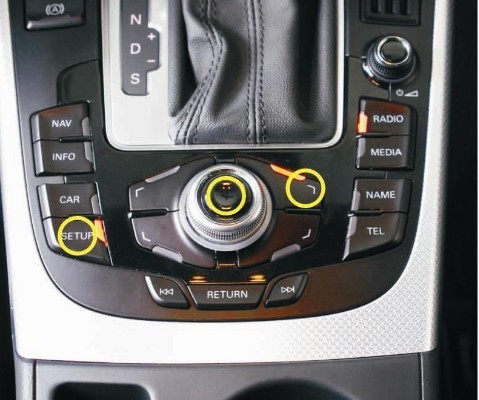
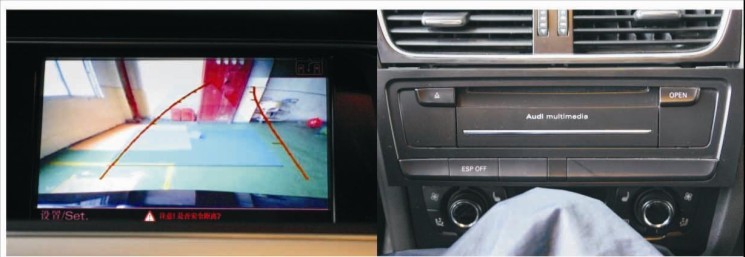
After finished installation of the module,start the car for 30seconds,and press the 3 buttons as picture showed,do remember restart MMI at the same time
After finished the above steps,use VCDs coding.
Shift to gear,you will see the rear view video displayed.
If your car has front/rear sensors,the video will showed as the picture
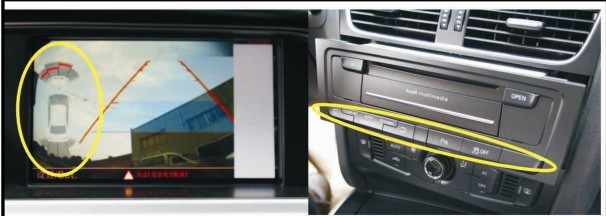
If your car only has rear sensors,the video will displayed as the follow picture
this picture is the cables of CAN
orange/green=CAN-H
orange/brown=CAN-L
find the original car module
the plug of the host of the module
use the tool remove the car DVD host as picture showed
insert the cable of video input to the 17-18 of the host as the picture showed
After finished installation of the module,start the car for 30seconds,and press the 3 buttons as picture showed,do remember restart MMI at the same time
After finished the above steps,use VCDs coding.
Shift to gear,you will see the rear view video displayed.
If your car has front/rear sensors,the video will showed as the picture
If your car only has rear sensors,the video will displayed as the follow picture
Last edited by mayaudia4; Apr 1, 2013 at 11:28 PM.
Thread Starter
|
1st Gear
Joined: Apr 2013
Posts: 4
this solution is one of the most cost-effective ways to improve safety and avoid scraping the wheels and body panels on your Audi.Active tracking lines will assist you parking your cars into the space with ease.

Thread
Thread Starter
Forum
Replies
Last Post
DmitryS
All Other Audi Models
0
Sep 18, 2006 05:27 AM

