

1st Gear
Well
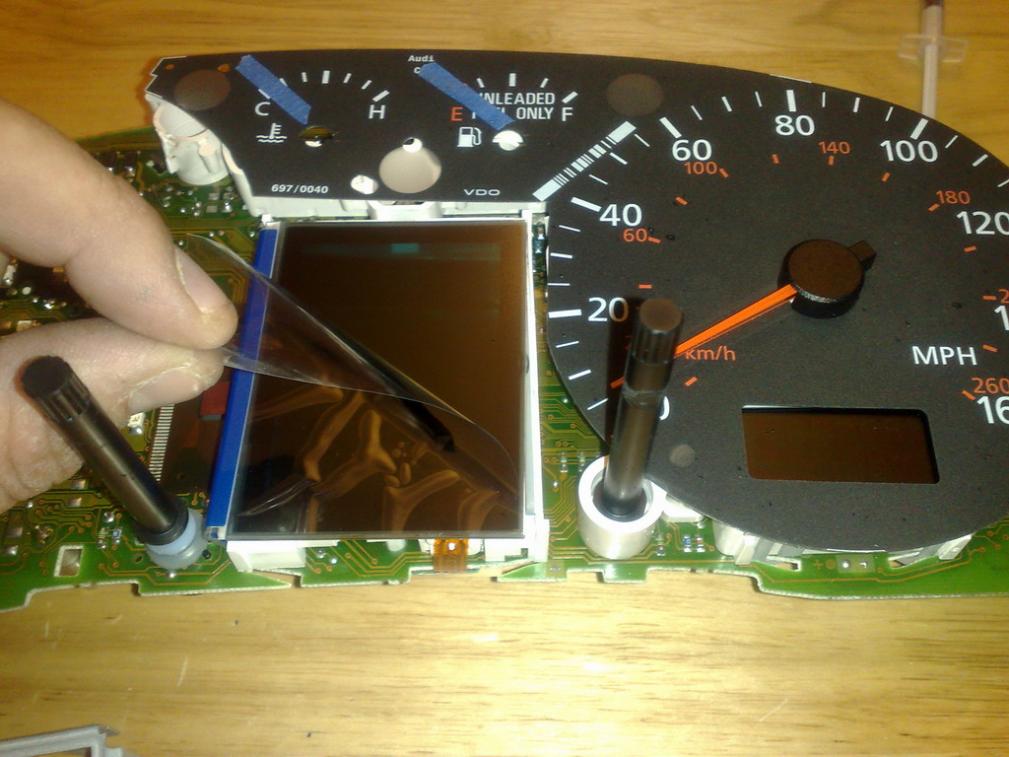
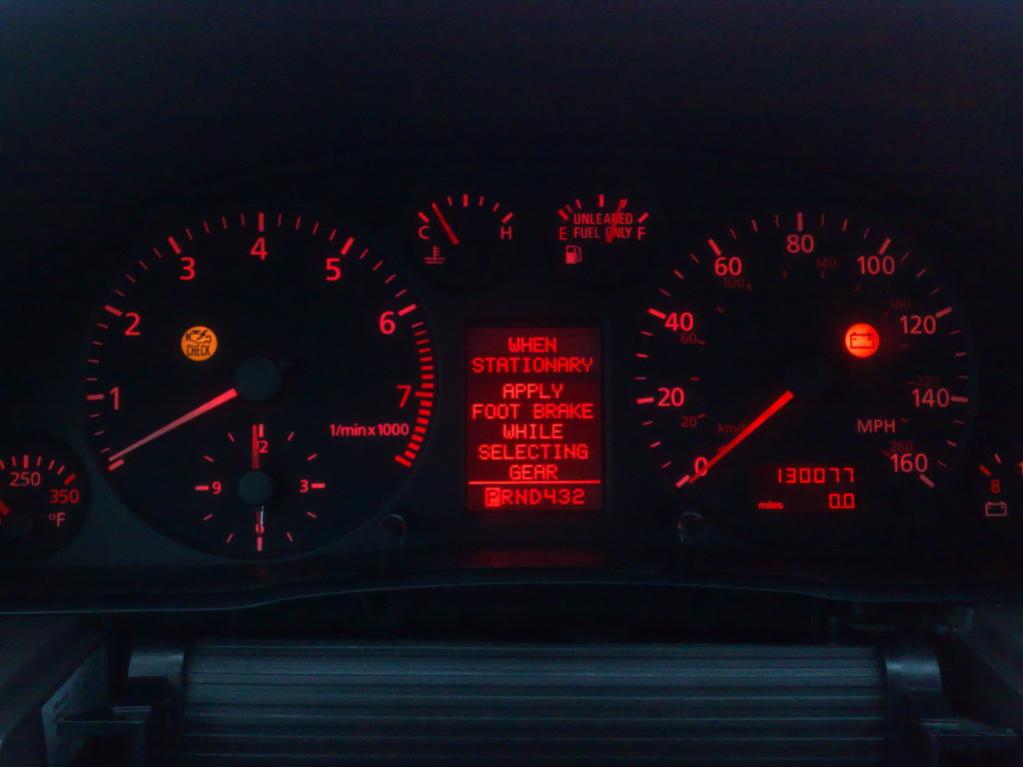
Not so strait forward for me, After putting in the new panel it was just dead when trying it. Took it out and re soldered it, After that it showed all pixels for a few sec and went dead again.
So i pulled the new panel off. I put in a new panel and same **** again.
Not so strait forward for me, After putting in the new panel it was just dead when trying it. Took it out and re soldered it, After that it showed all pixels for a few sec and went dead again.
So i pulled the new panel off. I put in a new panel and same **** again.

2nd Gear
Quote:
Not so strait forward for me, After putting in the new panel it was just dead when trying it. Took it out and re soldered it, After that it showed all pixels for a few sec and went dead again.
So i pulled the new panel off. I put in a new panel and same **** again.
Sounds like you've maybe crossed some of the soldering joints, use either some desoldering wire or a solder sucker to pull up all the excess solder and try again!Originally Posted by maxiice
Well Not so strait forward for me, After putting in the new panel it was just dead when trying it. Took it out and re soldered it, After that it showed all pixels for a few sec and went dead again.
So i pulled the new panel off. I put in a new panel and same **** again.
1st Gear
Quote:
Yes checked that several times, if it only was that simple.Originally Posted by nm3210
Sounds like you've maybe crossed some of the soldering joints, use either some desoldering wire or a solder sucker to pull up all the excess solder and try again!
1st Gear
Quote:
yes and its a nice direction you made, Originally Posted by vrso2
dude, read my direction, how to do it
I have seen other directions as well, But when something goes bad its almost impossible to find the error.
I might have damaged it because i forgot to ground me some of the time.


Junior Member
Quote:
13. remove metal frame and now u have full access for MAXIDOT
14. Apply CHIP QUIK® Rework Paste Flux
15. apply CHIP QUIK® Material (wire) and heat with solder machine
16. Remove old MAXIDOT - be careful to not tear contact on main board.
17. Clean main board contacts - i used desoldering vacuum pump and cleaning wick
18. apply CHIP QUIK® Rework Paste Flux for easy soldering
19. align new MAXIDOT with contacts on main board and solder first one to secure LCD
20. Check alignment and adjust if necessary
21. solder spot by spot - keep solder tip on each spot for few sec.
Thank vrso2 guided.Originally Posted by vrso2
more ...13. remove metal frame and now u have full access for MAXIDOT
14. Apply CHIP QUIK® Rework Paste Flux
15. apply CHIP QUIK® Material (wire) and heat with solder machine
16. Remove old MAXIDOT - be careful to not tear contact on main board.
17. Clean main board contacts - i used desoldering vacuum pump and cleaning wick
18. apply CHIP QUIK® Rework Paste Flux for easy soldering
19. align new MAXIDOT with contacts on main board and solder first one to secure LCD
20. Check alignment and adjust if necessary
21. solder spot by spot - keep solder tip on each spot for few sec.
I can follow your instructions. Hopefully everything will settle !
 thank
thank
1st Gear
Great info in this thread. 

UPDATE !!!!
After some months my new MAXIDOT start doing same thing. I was thinking and finally solved the problem !!!
The reason, why is stop working is bad connection on the main board and mostly in summer, when is temperature higher, flex strip loosing connection with main board and humidity also making connection even worst.
So.
I took mine apart again. carefully re-solder all flex strip. Plug in to the car to check, its everything OK !!!!
And here is most important part !!!
If u 100% sure, u see all segments and MAXIDOT works, apply CLEAR NAIL COAT on connection. Wait until dry, put in together and enjoy
Now i got no problem anymore
After some months my new MAXIDOT start doing same thing. I was thinking and finally solved the problem !!!
The reason, why is stop working is bad connection on the main board and mostly in summer, when is temperature higher, flex strip loosing connection with main board and humidity also making connection even worst.
So.
I took mine apart again. carefully re-solder all flex strip. Plug in to the car to check, its everything OK !!!!
And here is most important part !!!
If u 100% sure, u see all segments and MAXIDOT works, apply CLEAR NAIL COAT on connection. Wait until dry, put in together and enjoy
Now i got no problem anymore
